
Populating Lists with Creator Search
Creator Search lets you find creators by platform, audience size, games played, and more, then save them to a creator list.
Finding Creators
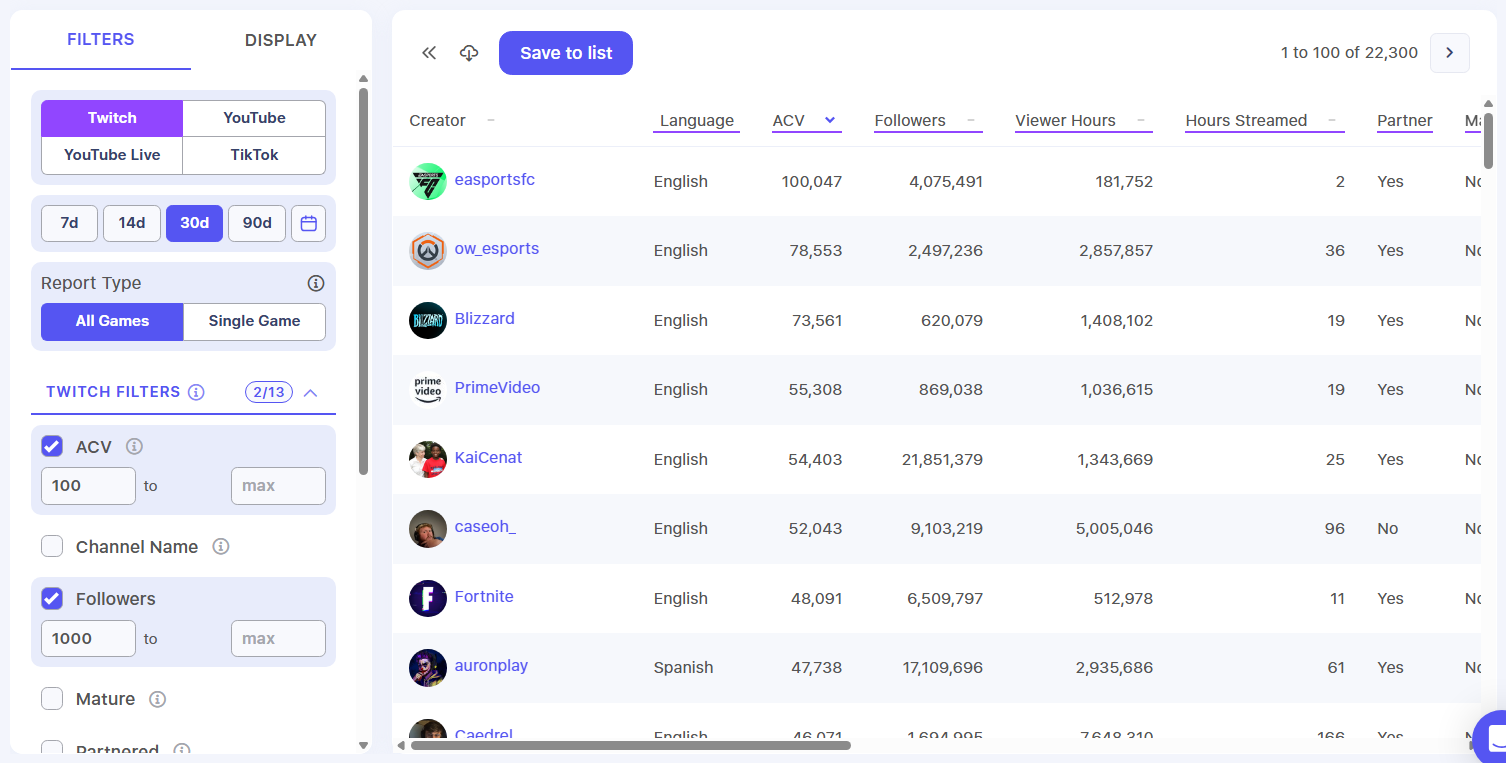
To search for creators:
- Click Research in the left navigation
- Click Creator Search
- Choose a platform: Twitch, YouTube, YouTube Live, or TikTok
- Choose a time range: 7d, 14d, 30d (default), or 90d. Click the calendar icon to set custom dates instead.
- For Twitch and YouTube, choose a Report Type: All Games or Single Game
- Check the filters you want to use and enter their values
Results update automatically as you change filters, 100 creators per page. Click a column header to sort by that column.
Request AccessIf Creator Search isn't enabled for your game, click Request Access in the left navigation to ask for it.
Filters
Available filters depend on the platform you select:
| Platform | Filters |
|---|---|
| Twitch | ACV, Channel Name, Followers, Mature, Partnered, Variety, Sponsored Stream, Include/Exclude Games, Min Games Played, Include/Exclude Languages, Min Hours Streamed |
| YouTube | AVV, Channel Title, Subscribers, Videos, Views, Sponsored Video, Include/Exclude Games, Min Games Played, Include/Exclude Countries |
| YouTube Live | ACV, Channel Title, Subscribers, Streams, Views, Sponsored Video, Include/Exclude Countries |
| TikTok | Channel Title, AVV, Videos, Views, Followers, Hearts, Sponsored Video |
ACV is average concurrent viewers. AVV is average video views.
Display
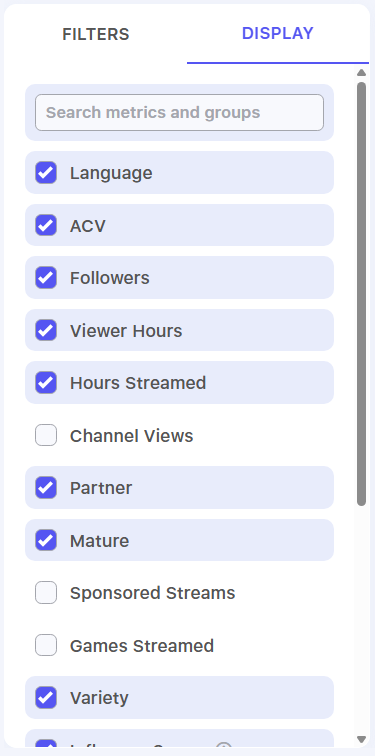
Use the Display tab to choose which columns appear in your results. Check or uncheck a metric, or search for one by name.
Saving Creators to a List
Creators are added in the order of your current results, so filter and sort first. To save to a new list, create the list before you start.
To save creators to a list:
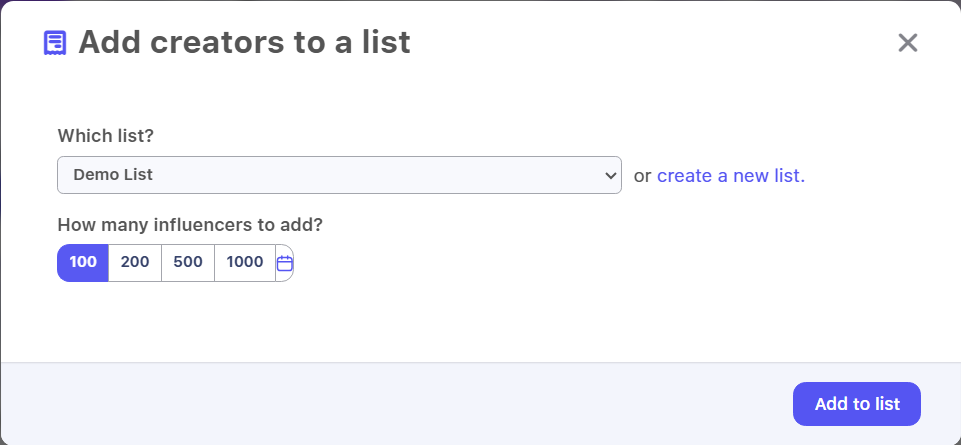
- Click Save to list above your results
- Under Which list?, select a list
- Under How many influencers to add?, choose 100, 200, 500, or 1000. To enter your own number (up to 1,000), click the icon to the right of 1000.
- Click Add to list
You'll be taken to your list, where you can manage statuses, remove creators, leave notes, and more. If you opened Creator Search from a campaign, you'll return to that campaign's Activations tab instead.
Exporting Results
Click the download icon next to Save to list to download the current page of results as a CSV.
Updated 20 days ago